Agneta
Give Mac apps an AI agent you control.
Agneta is an open-source menu bar app for macOS. Connect the AI you already pay for once: a ChatGPT or Claude plan, or an OpenAI or Anthropic API key. Then decide which apps may use it. Agneta runs each task on your Mac, in a sandbox, on your account, and shows you every task with a stop button.
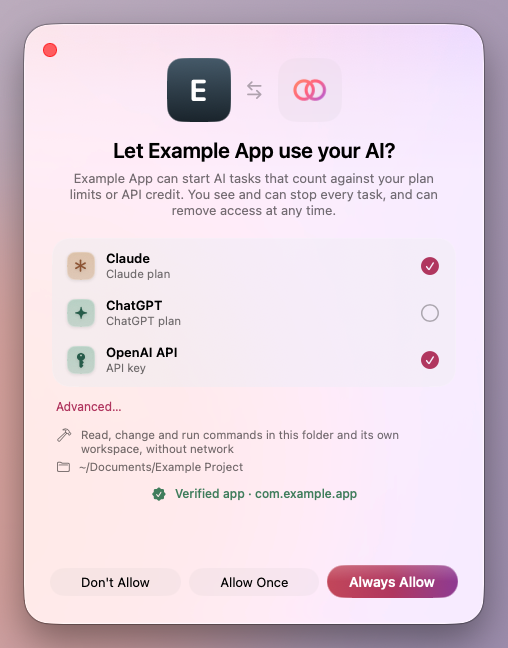
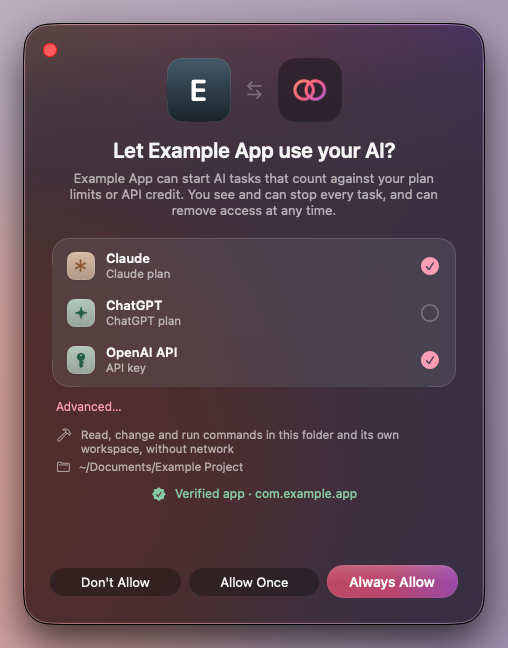
For you, with your own AI plan
Use the plan or key you already pay for in the apps you choose, see what each one does with it, and stop it.
- An app has to ask first. You see the tools and folders it wants and whether its code signature checks out, then allow it once or always.
- You choose which of your plans and API keys each app may use, and can remove its access at any time.
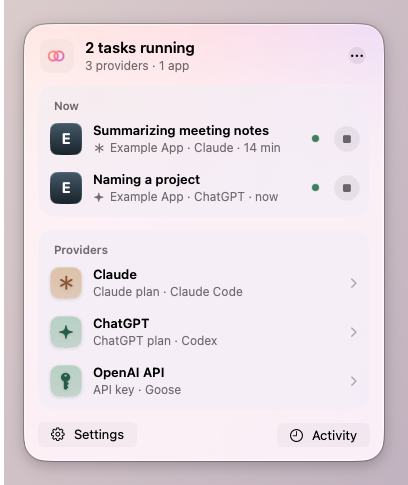
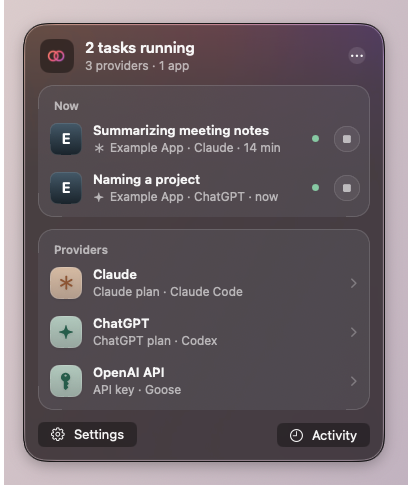
- Every task shows the app it belongs to, the provider it runs on and what it costs.
For app developers
Agent features without running an agent loop, building sign-in for every provider, or putting a model bill on your own credit card.
- Speak the Agent Client Protocol over a local WebSocket. No SDK is needed, and a sandboxed Mac App Store app can do it too.
- Keep your tools and data in your app, served as an MCP server on loopback. The agent uses them on the user’s account.
- Send a policy with each session: tools, folders, network, approval and limits. Agneta enforces it with sandboxes, or refuses it.
- Usage comes back with every result, and every task leaves a full trace, live or later.
How it works
ws://127.0.0.1- Pair once. The app connects and calls
agneta/pairwith the scope it needs (tools and folders). Agneta identifies the process by its code signature; the user sees the scope, ticks the providers it may use, and allows it once or always. The app keeps a token in its Keychain, andagneta/accesstells it which providers and engines it may use. - Start a session. It calls
session/newwith a provider and, if it wants, an engine, a workspace, the app’s MCP server and a policy, for example{"tools": "workspace", "network": "none", "limits": {"maxTurns": 200}}. Agneta refuses any policy it can’t enforce rather than quietly weakening it. - Prompt. Agneta queues the turn within the account’s limits and starts or reuses an engine under the right sandbox profile. It streams the engine’s ACP updates back, answers permission requests from the policy (or asks the app), and returns usage with the result.
- Watch and stop. The task appears in the menu bar panel, its trace is written as it runs, and the user can stop it at any time.
What stays on your Mac
Agneta has no servers of its own and sends no telemetry. What leaves your Mac is the task itself: its prompts, and what its tools return, go to your AI provider over HTTPS, because that’s how the model sees it.
- Your sign-ins
- Plans are signed in by your own Codex or Claude Code, which keep and refresh their credentials. Agneta never holds a plan’s tokens, and API keys stay in your Keychain.
- Loopback only
- Agneta listens on 127.0.0.1 and refuses requests from web pages. Nothing listens beyond your Mac.
- Sandboxed engines
- Each engine runs under a macOS sandbox profile: the task’s workspace, the folders its policy names and what the engine itself needs, and nothing else in your home folder.
- Commands, stricter still
- Shell commands run confined to the workspace, with no network when the policy says none.
- Traces you keep
- Every task leaves a trace of its prompts, tool calls, model calls and decisions, readable only by you and kept 30 days by default.
- Updates, once you allow them
- Release builds ask before they first check GitHub for updates. The check carries Agneta’s version and nothing of yours.
Providers and engines
Agneta doesn’t run the agent loop itself. It hosts proven open-source and vendor agents behind one boundary, and each app picks the engine for its tasks among those you allow.
| Provider | Engines | Sign-in |
|---|---|---|
| ChatGPT plan | Codex | Your installed Codex’s own login, kept per account |
| Claude plan | Claude Code, Goose | Your installed Claude Code’s own login, kept per account; both engines run that Claude Code |
| OpenAI API key | Goose, OpenCode, Codex | Key in the Keychain |
| Anthropic API key | Goose, OpenCode, Claude Code | Key in the Keychain |
Without Claude Code or Codex, Agneta still works with an OpenAI or Anthropic API key, on Goose (bundled) or OpenCode (downloaded when first needed). A Claude plan needs Claude Code (the Claude desktop app includes it), and a ChatGPT plan needs Codex 0.166 or later.
What it is not
- Not a model proxy. Agneta doesn’t hand apps an OpenAI-compatible endpoint backed by your subscription. Apps get agent tasks, run under rules you can see, not raw model access.
- Not a chat app. There’s no chat window. The apps you use are the interface.
- Not a way around provider terms. Agneta uses your own accounts and your own installed Claude Code and Codex. Whether a given use fits a provider’s terms is between you and that provider. See Accounts, terms and trademarks.
- Not a coding agent of its own. It hosts proven open-source and vendor agents (Goose, OpenCode, Claude Code and Codex) behind one boundary.
- Not a service. Everything listens on loopback only and browsers are refused. Agneta has no servers of its own and sends no telemetry (release builds check GitHub for updates, once you allow it); engines talk to their AI provider, with their own analytics and update checks turned off where they allow it.
Install
Version 0.3.0, 18 November 2026. Signed with a Developer ID and notarized by Apple. Needs macOS 14 or later.
Not sure which you have? Choose Apple menu → About This Mac: Chip: Apple M… means Apple silicon, Processor: … Intel means Intel.
Then
- Open the DMG and drag Agneta into Applications.
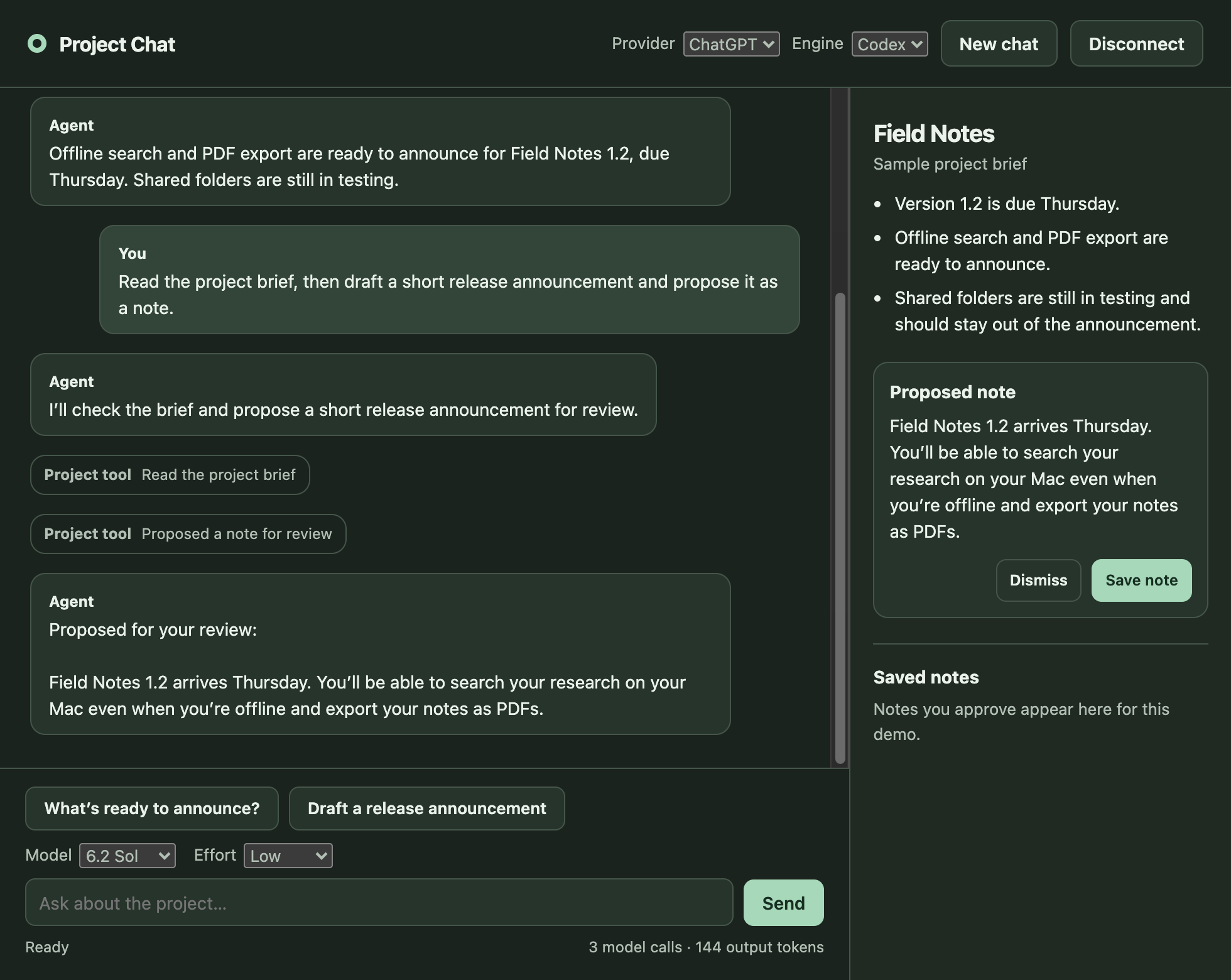
- Open Agneta from Applications. It lives in the menu bar (the linked rings beside the clock), not in the Dock.
- Click the menu bar icon and connect a provider: a ChatGPT plan (needs Codex 0.166 or later), a Claude plan (needs Claude Code; the Claude desktop app includes it), or an OpenAI or Anthropic API key.
- To see what an app does with it, choose Run a Test Task from the panel’s ⋯ menu.
Or with Homebrew
brew install olofd/tap/agnetaUpdates
Agneta updates itself with Sparkle. It asks before it first checks GitHub, then checks about once a day and installs an update only when no task is running; Settings → General turns checks or installs off. Homebrew leaves updating to it.
Check a download
Each release lists every file’s SHA-256 in SHA256SUMS.txt, and GitHub records how each was built: gh attestation verify checks a DMG against this repository.
Or build it
With Xcode 26 or later, from the source: Build and run.
Status
Status: early. Agneta runs real tasks on real ChatGPT and Claude plans. Before you rely on it, know that:
- the app protocol may still change before 1.0;
- an engine can reach any HTTPS host, not only its provider’s (a per-provider host allowlist isn’t built yet);
- the tests, the sandbox acceptance test among them, pass on macOS 15 and 26, Apple silicon and Intel (CI.md), but the app has been used day to day only on an Intel Mac with macOS 26, and macOS 14 is untested.
Add it to your app
Your app is an ACP client and Agneta is the ACP agent. Connect to ws://127.0.0.1:47321/acp, pair once, and start sessions with your own tools and a policy. Any WebSocket and JSON-RPC 2.0 code will do.
Pairing, once
→ {"jsonrpc": "2.0", "id": 1, "method": "agneta/pair",
   "params": {"name": "Example App", "scope": {"tools": "workspace", "folders": ["/Users/me/Documents/Example Project"]}}}
← {"jsonrpc": "2.0", "id": 1, "result": {"token": "…", "remembered": true, "access": {…}}}- Developer guide: the conversation, step by step
- App protocol: every field, limit and error
- Diagnostics: traces,
agneta-diagand the diagnostics MCP server - The test client: the whole exchange in about 170 lines of Swift